Your Onboarding Guide
Follow these five steps to start benchmarking across Culture, Talent & Workforce — and begin delivering client-ready intelligence reports.
Add Your Companies in Platform
Start by searching for and adding the clients and companies you want to benchmark directly in the platform. All three intelligence modules — Culture, Talent and Workforce — are available from day one.
Search companies within the Culture module to benchmark cultural profiles, NSS scores and EVP topic performance.
Add companies to Talent Intelligence to map skills inventories, hiring velocity and capability gaps vs peers.
Select companies in the Workforce module to analyse headcount composition, seniority mix and geographic footprint.
Explore the Use Case Library
Deltabase One comes with a comprehensive library of pre-built use cases designed to answer the most pressing People & Culture questions. Each use case is powered by robust frameworks and supported by multiple visualisations and benchmarking views.
Use Culture Intelligence to answer the most pressing questions about an organisation's cultural health.
Follow the Interpretation Guide
Before drawing conclusions, familiarise yourself with the key metrics and how to read visualisations across all three modules.
NSS | Net Sentiment Score
A measure of how positive or negative employee sentiment is. Calculated by subtracting the percentage of negative reviews from the percentage of positive reviews. If all reviews for a topic are positive, NSS will be +100%.
Prevalence | Strength of Employee Voice
The percentage of reviews which reference a specific topic by employees. Indicates how strongly employees feel about a particular area.
Rating
The overall score that employees give the company out of 5. Provides a high-level view of overall employee satisfaction.
Peer Set Mean
The average benchmark across all companies in a selected peer group. Used as the reference point when comparing any individual company's scores.
Signal Warnings
Any topics where there is a low review count (<10 reviews) will show a signal warning. Always check data volume before drawing conclusions.
Explore the Intelligence
Dive into the platform's interactive reports across Culture, Talent and Workforce. Click through the chart tabs below to explore the types of intelligence available across each module.
- Prime Estate Inc.
- Peer set average
Build Client-Ready Reports
All charts, tables and benchmarks can be exported into PowerPoint or Excel in one click — ready for client proposals, board updates and executive presentations. Mix and match across modules to build bespoke, branded intelligence reports.
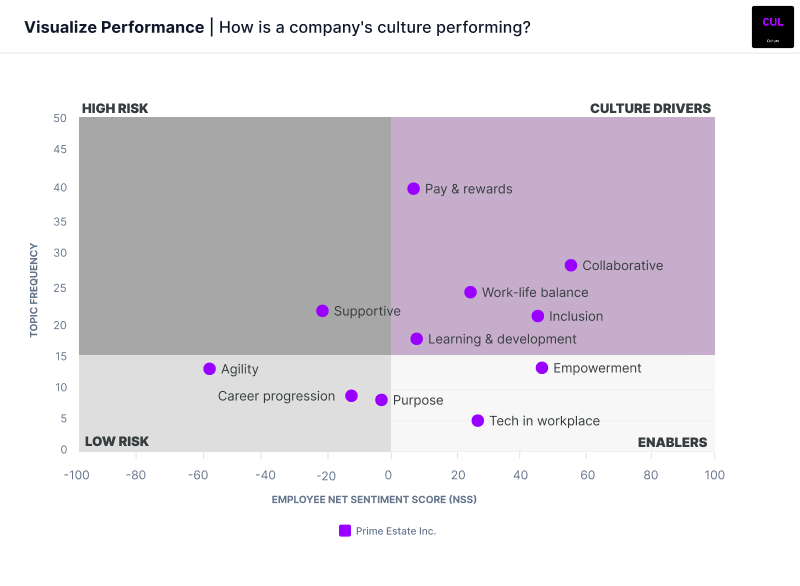
Peer Set Summary
High-level overview of how companies compare across all Culture, Talent and Workforce topics.
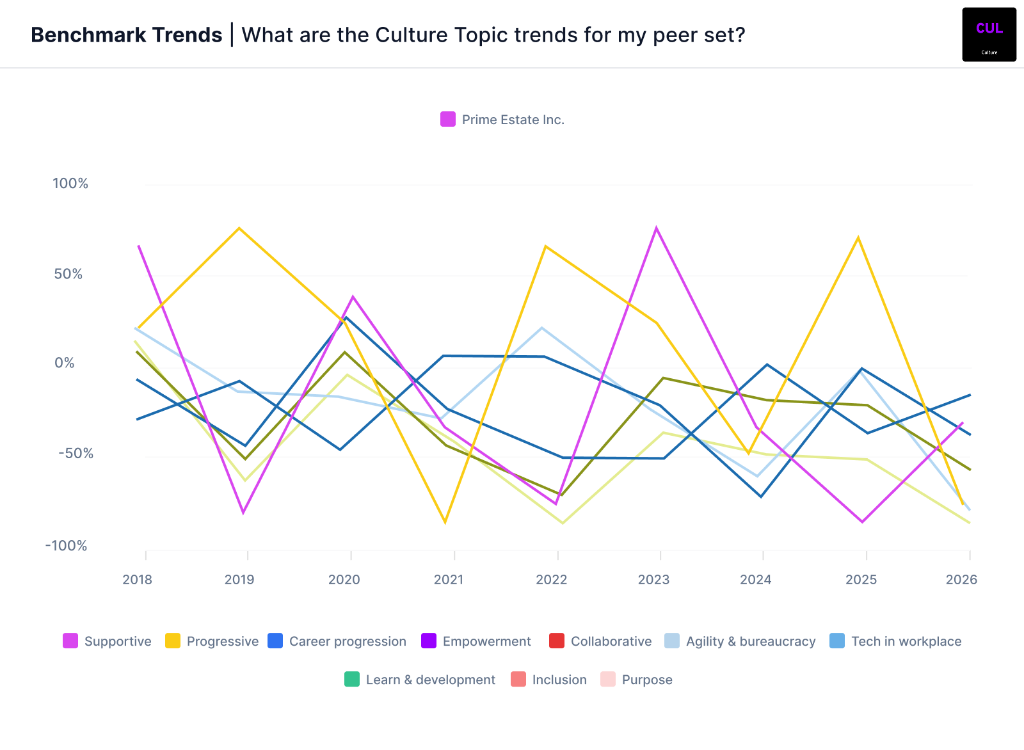
Benchmark Trends
Track cultural behaviour changes, employee voice analysis, and EVP drivers over time.
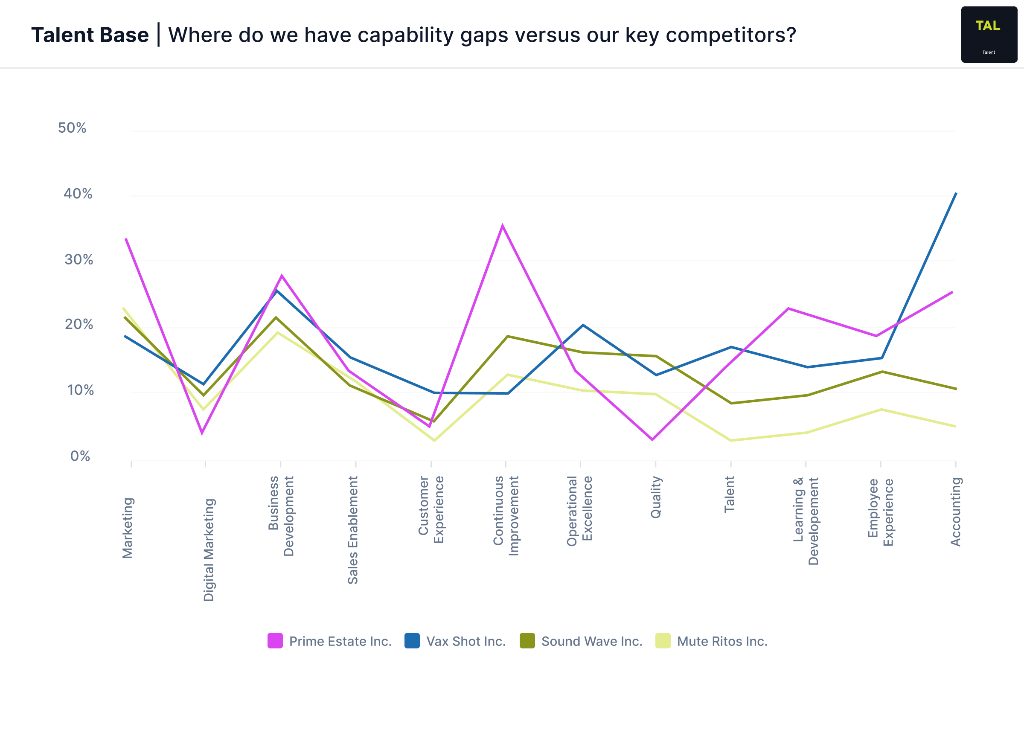
Talent Base Analysis
Capability gap analysis across functions versus key competitors — identify where you lead or lag.
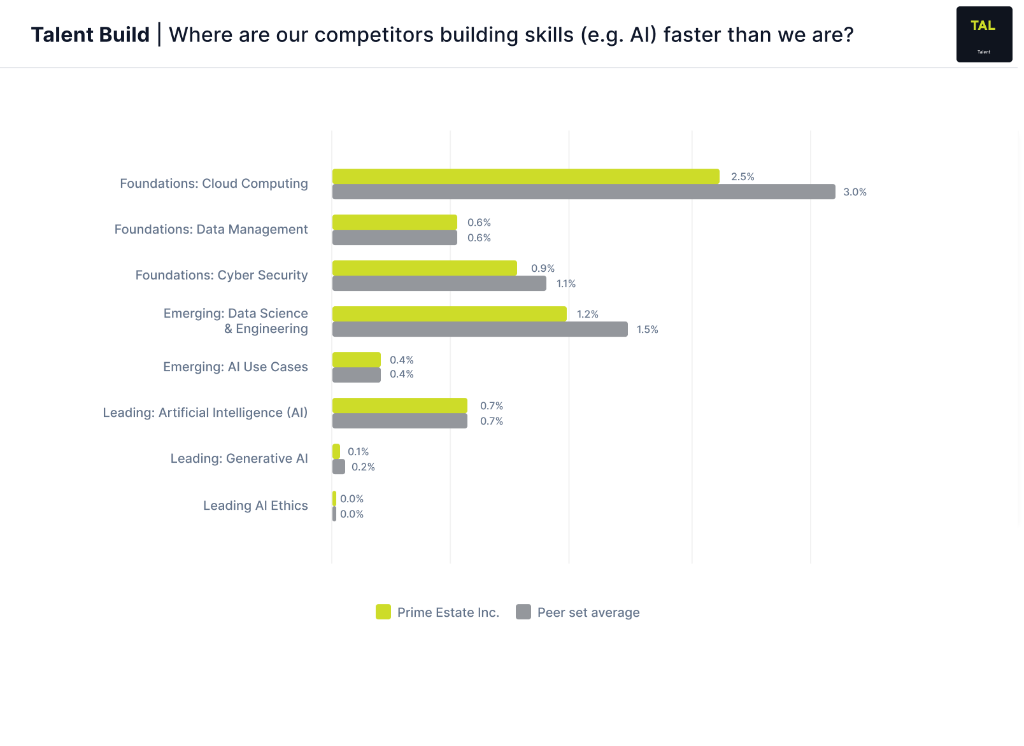
Skills Build Report
Compare AI and emerging skill investment against peer set averages to identify where competitors are building faster.
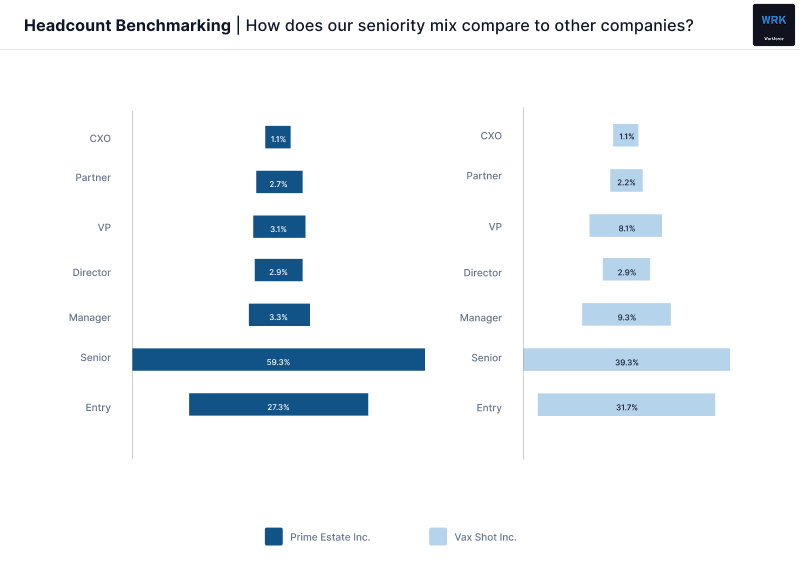
Headcount Benchmarking
Seniority mix comparison across organisations — reveal structural differences in leadership layers.
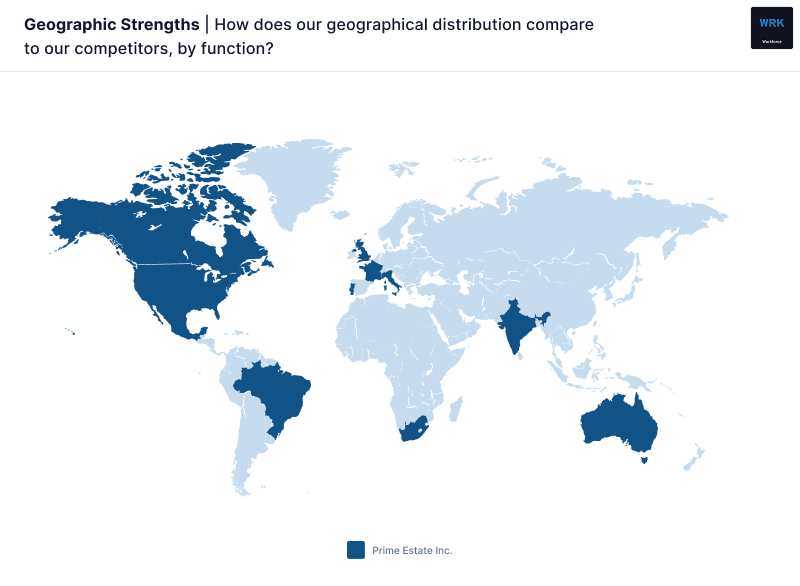
Geographic Strengths
Map workforce geographic distribution across functions versus direct competitors.
Need Support?
Connect in our regular user community meetings for ongoing feedback and platform shaping.